

Managing your booking
Open your booking, change your stages and update your details.
Open your booking
From “Manage my booking” at the top of the site, or with the link in your confirmation email:
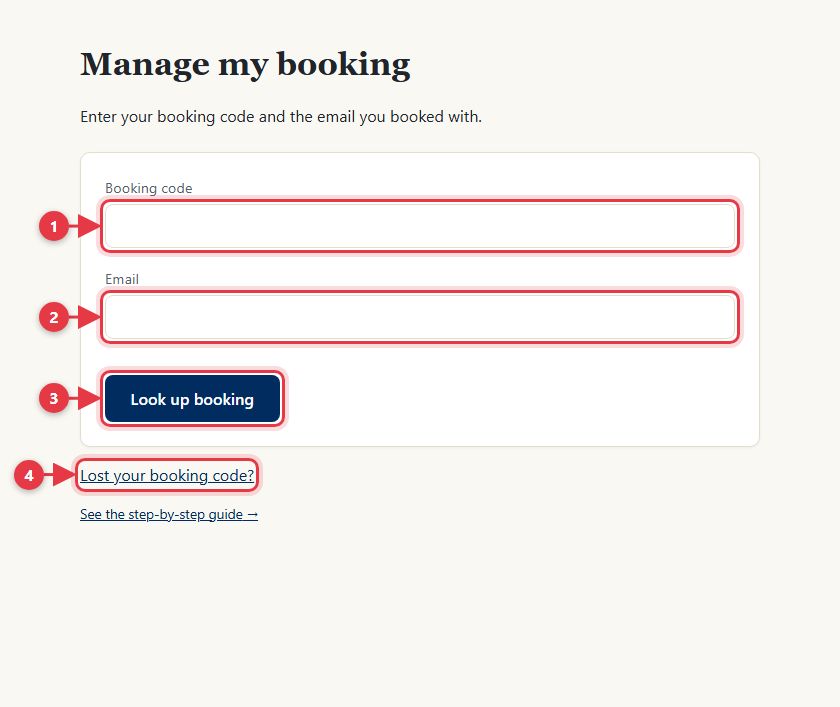
- Enter your booking code.
- Enter the email you booked with.
- Tap to look up your booking.
- Lost your code? We'll email it to you.
Change your stages
You can change each stage until 8pm (Spain time) the day before. After that, it's locked.
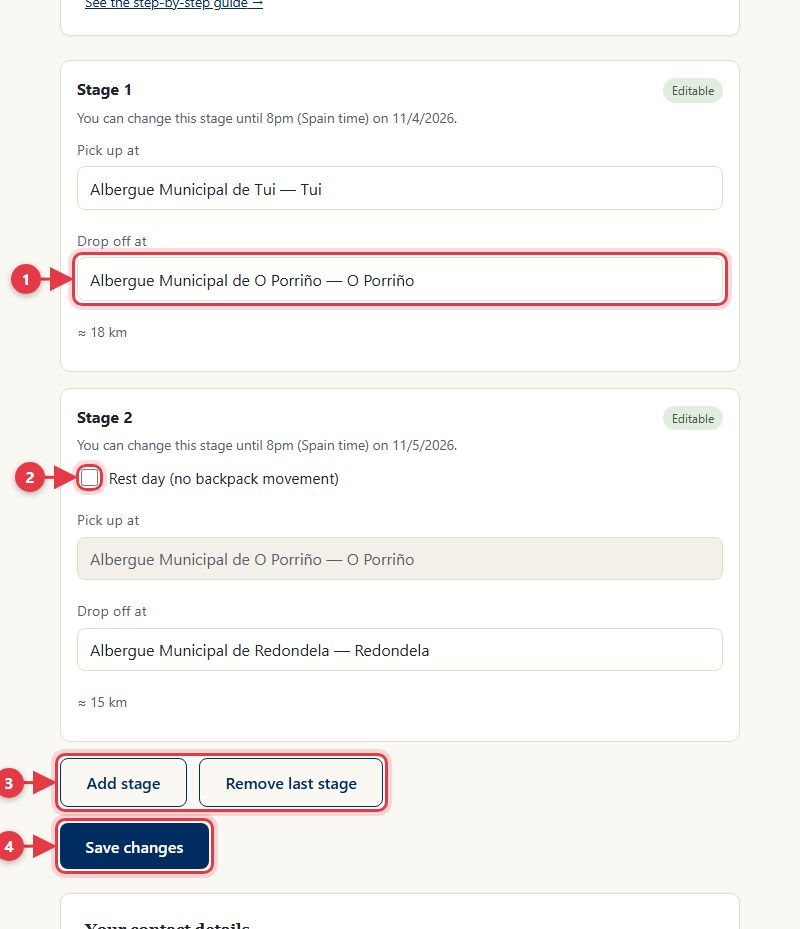
- Choose another drop-off accommodation.
- Mark a rest day: the following stages move back a day.
- Add or remove stages at the end of your route.
- Save your changes. If you had printed the tag, download it again.
Update your email or phone
If you change your email, you'll open your booking with the new one from then on, and we'll let you know at both addresses.
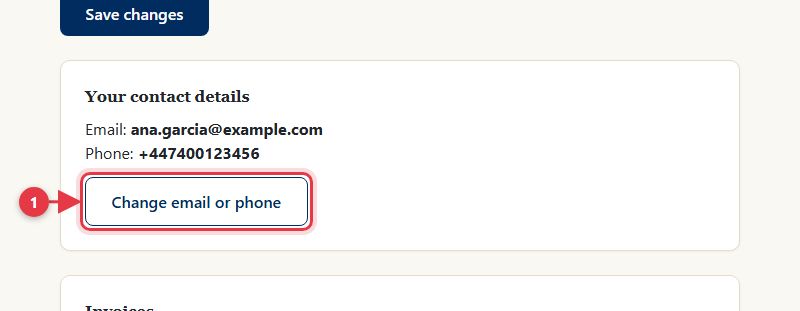
- Tap here to change them.