

How to book your backpack transfer
Booking takes a few minutes. This guide shows you every screen, with what to fill in or tap marked with numbers.
1. Choose your route and date
On the home page, under “Calculate your transfer”:
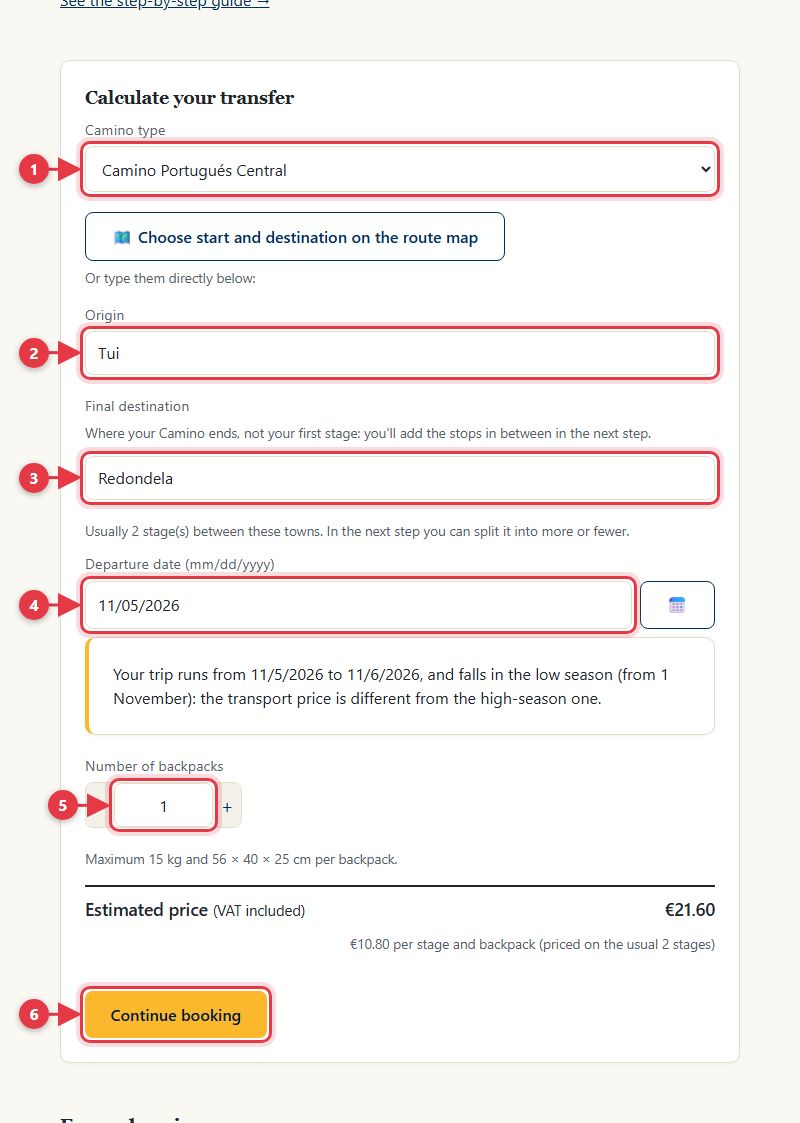
- Choose the Camino you're walking.
- Type the town your backpack leaves from on the first day.
- Type where your Camino ends (not your first stage).
- Choose the date of the first pickup.
- Say how many backpacks you're sending.
- You'll see the estimated price. Tap “Continue booking”.
2. Add your stages
For each stage, where we pick up your backpack in the morning and where we deliver it:
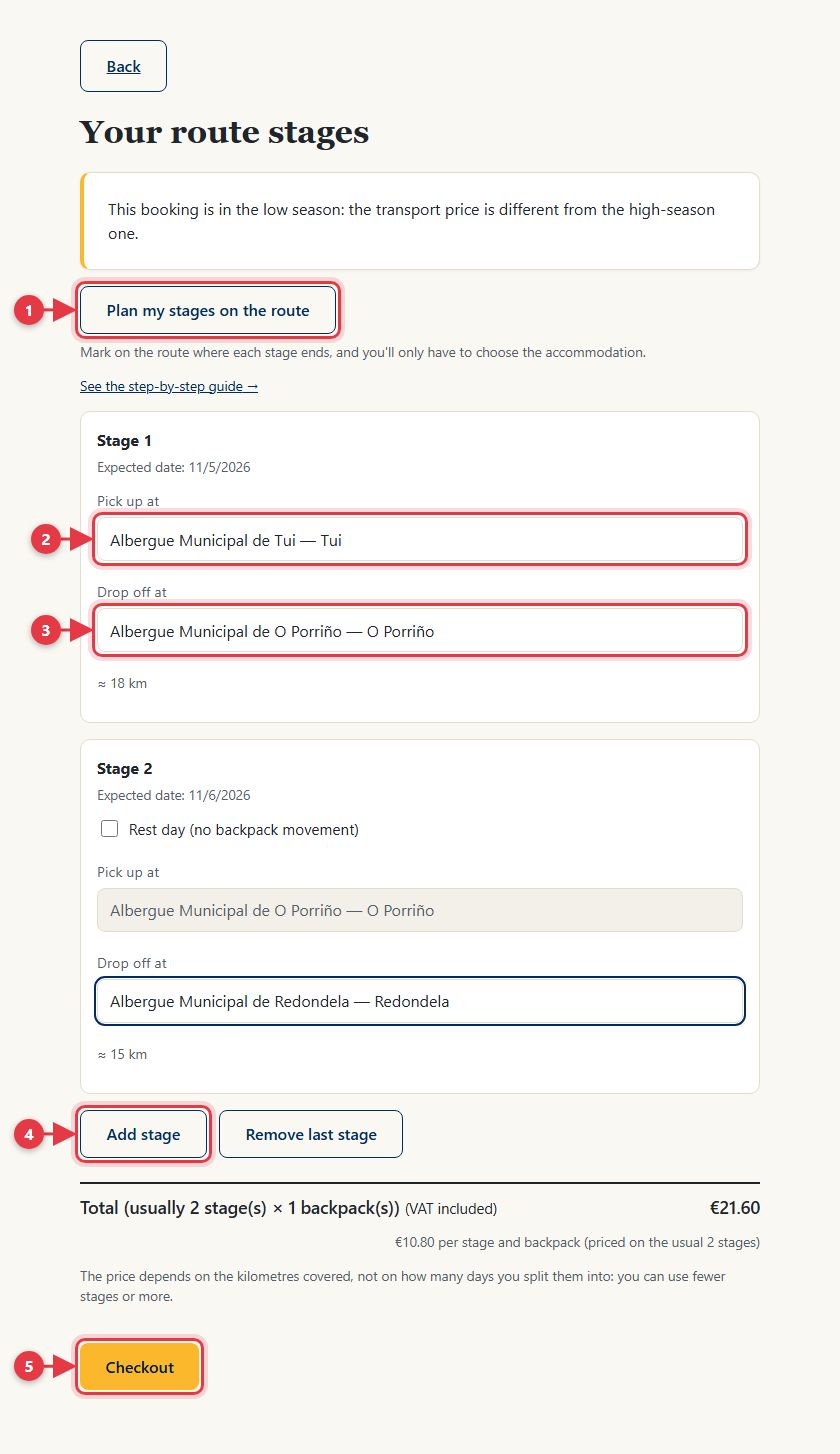
- Optional: mark on the route map where each stage ends and the rows fill in by themselves.
- The first stage's pickup: the accommodation where you sleep the night before you start.
- The drop-off: the accommodation where you'll sleep at the end of the stage. The next stage's pickup fills in by itself.
- Add the stages you need: you'll see the usual number, but you can add more. You can also mark rest days.
- When you're done, tap “Checkout”.
Don't know yet where you'll sleep?
Choose “Accommodation to be confirmed” in that town: it's the first option of each town.
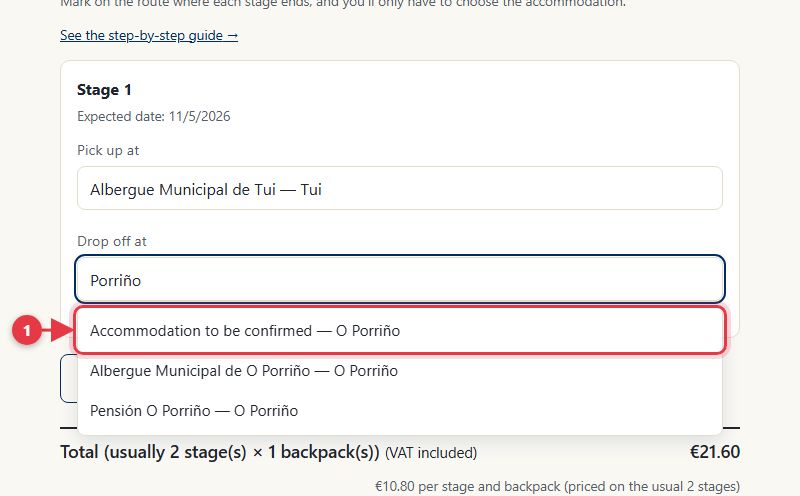
- You can book like this and choose the accommodation later in “Manage my booking”, until 8pm (Spain time) the day before that stage. If you haven't, we'll remind you by email. Only the first stage's pickup has to be a specific accommodation.
3. Your details
We need them for the booking and to be able to reach you if needed:
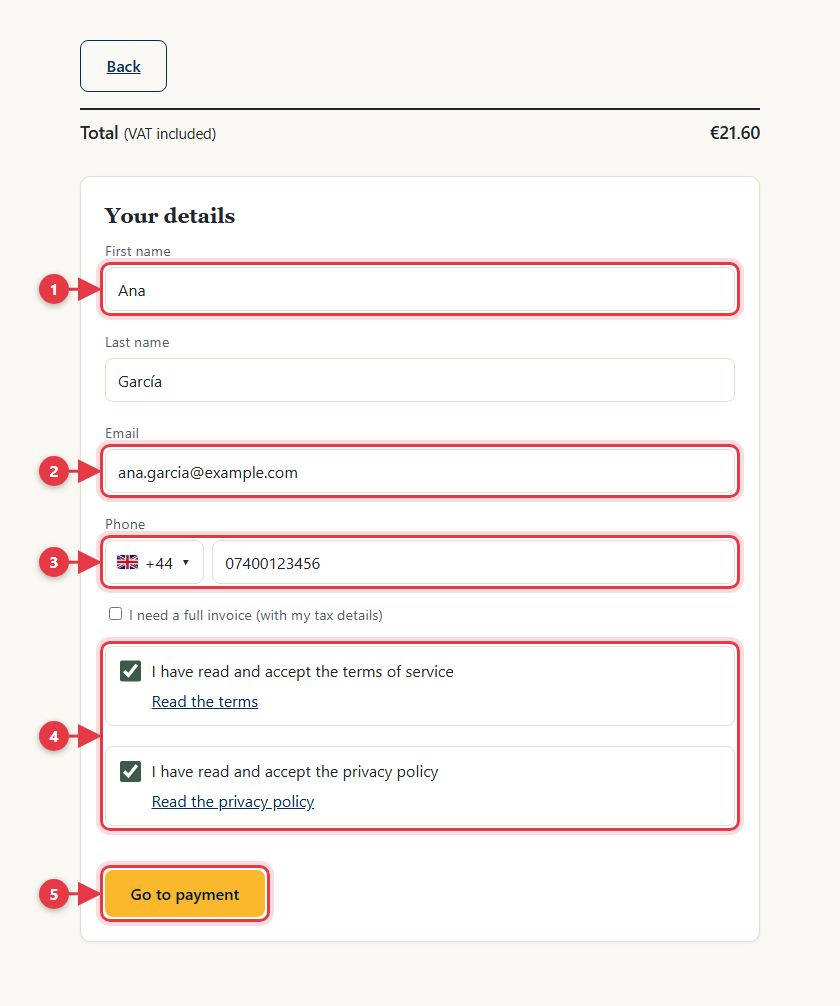
- Your first and last name, as they appear on your accommodation bookings.
- Your email: we'll send the confirmation, booking code and luggage tag there.
- Your phone, with your country's code.
- Read and accept the terms of service and the privacy policy.
- Tap “Go to payment”.
4. Pay
You pay on Stripe's secure page, by card or with the other methods shown. We don't store your card details.
5. Booking confirmed
Once you've paid you'll see the confirmation:
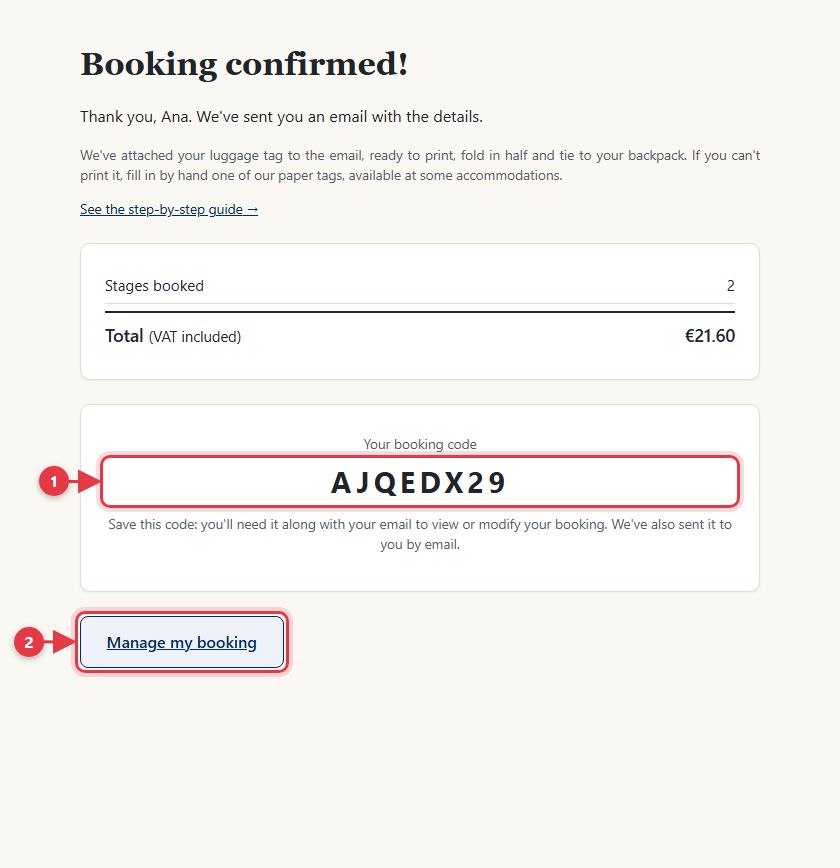
- Your booking code. Keep it: with it and your email you can view and change your booking. We also send it to you by email.
- “Manage my booking” takes you straight to your booking.
6. Manage your booking
From “Manage my booking” (at the top of the site, or through the link in your email) you can:
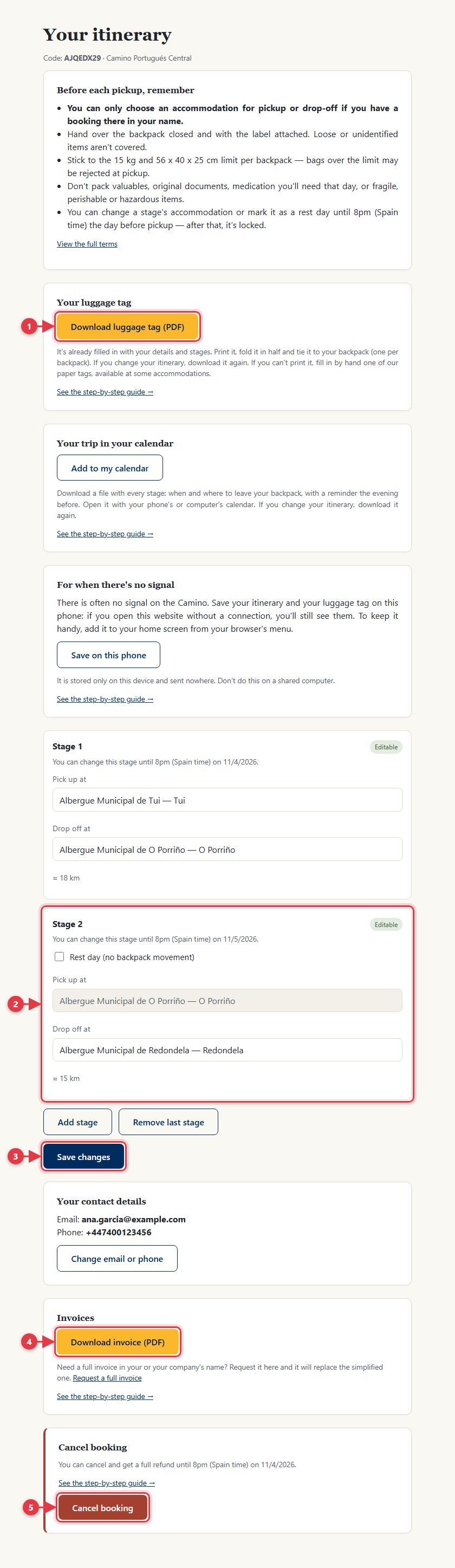
- Download your luggage tag, already filled in, to print and tie to your backpack.
- Change a stage's accommodation, or add stages or rest days, until 8pm (Spain time) the day before.
- Save your changes.
- Download your invoice.
- Cancel your booking with a full refund, until 8pm (Spain time) the day before you start.
7. On the day of each stage
Leave your backpack closed and with its tag at your accommodation before you set off (15 kg and 56 × 40 × 25 cm at most). It's picked up there and delivered to your next accommodation. Buen Camino!